Documentation > Managing Practice Inventory
Efficient inventory management is essential for running a successful practice, and EyeDock makes it simple with powerful tools to set up, organize, and customize your contact lens inventory. From initial setup to private labeling, EyeDock streamlines the entire process.
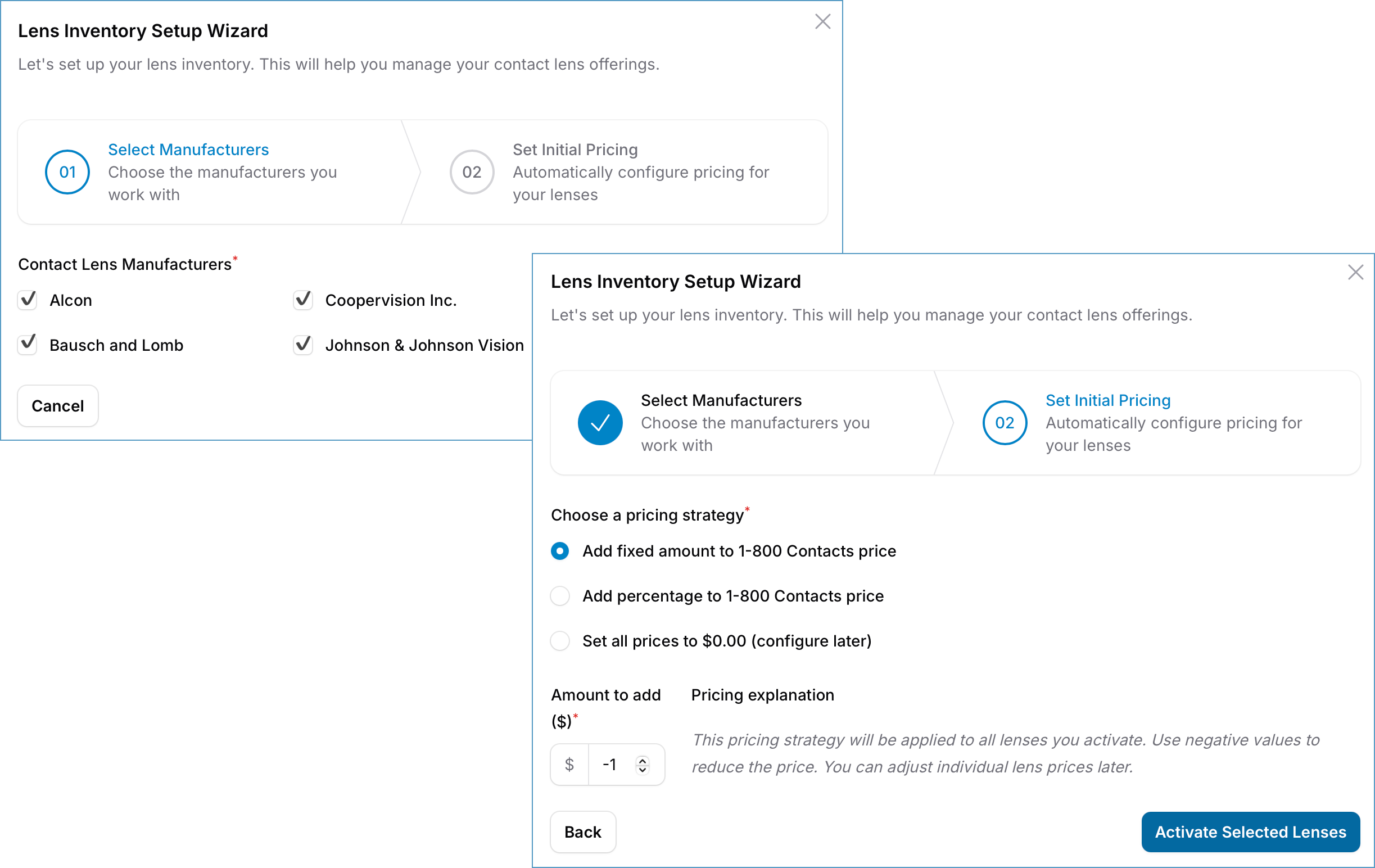
The Lens Inventory Setup Wizard is designed to help you quickly configure your inventory and establish initial pricing, so you can start using the system with minimal effort.
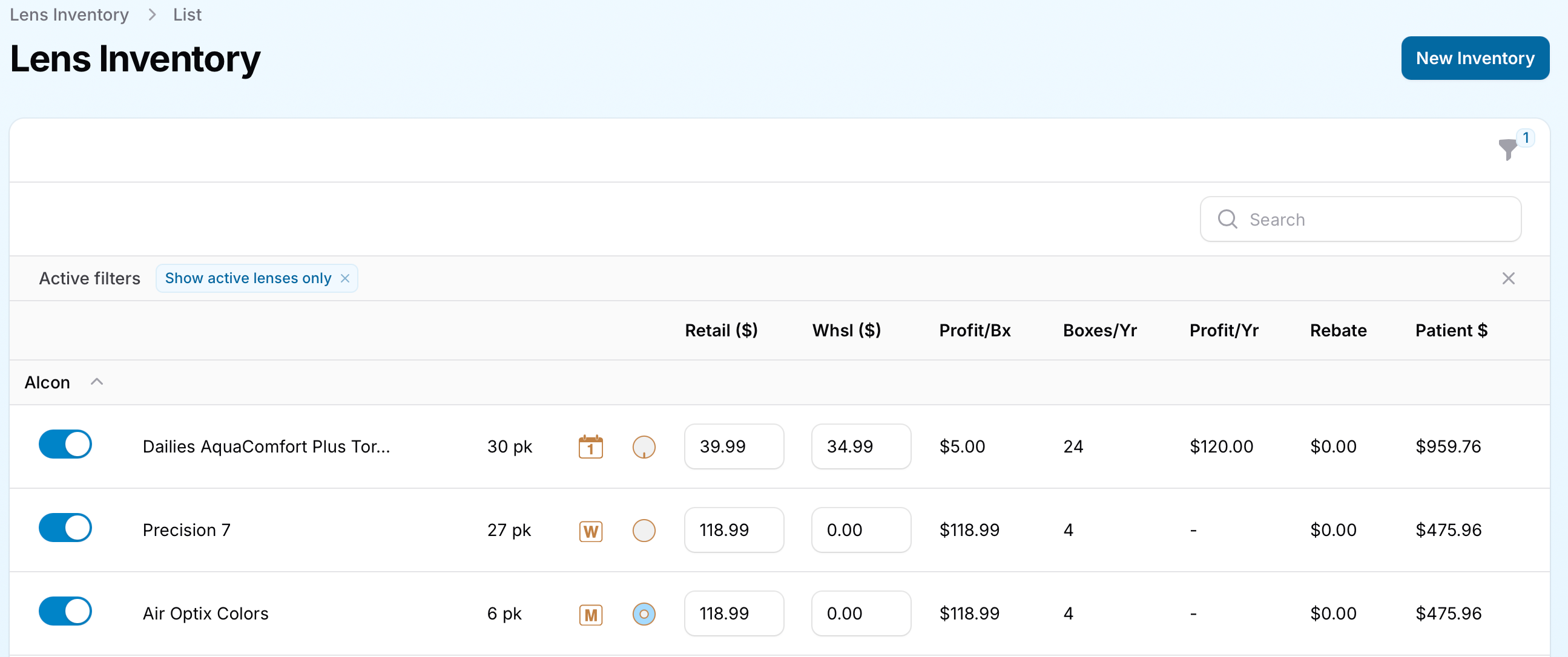
After setting up your inventory, you can manage it using the Lens Inventory List View. This interactive table offers a structured and intuitive way to view, edit, and update your contact lens inventory.
The Lens Inventory List View in EyeDock PM provides an intuitive way to manage your contact lens inventory. This section outlines the key features and tools available to help you streamline inventory management, track profitability, and ensure accurate pricing for your patients.
Each lens in your inventory includes an Active switch control, allowing you to quickly toggle whether a specific lens is available for use in price quotes.
This feature enables you to manage your inventory dynamically, ensuring that only the lenses you actively stock are visible to your team.
The inventory list provides essential information about each lens, enabling quick identification and management:
These details allow you to quickly locate and manage lenses within your inventory.
EyeDock PM simplifies pricing and profitability tracking with the following features:
These pricing tools empower you to make informed decisions about pricing strategies and inventory management.
EyeDock PM provides built-in tools to help you account for manufacturer rebates and calculate patient costs accurately:
EyeDock PM provides several inline actions to make managing your inventory quick and efficient:
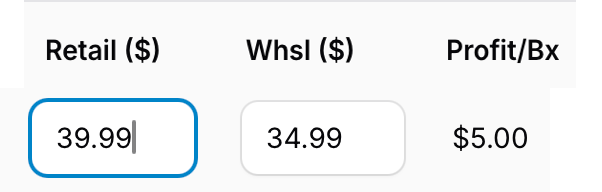
These inline actions enable you to make real-time updates without needing to navigate away from the inventory list.
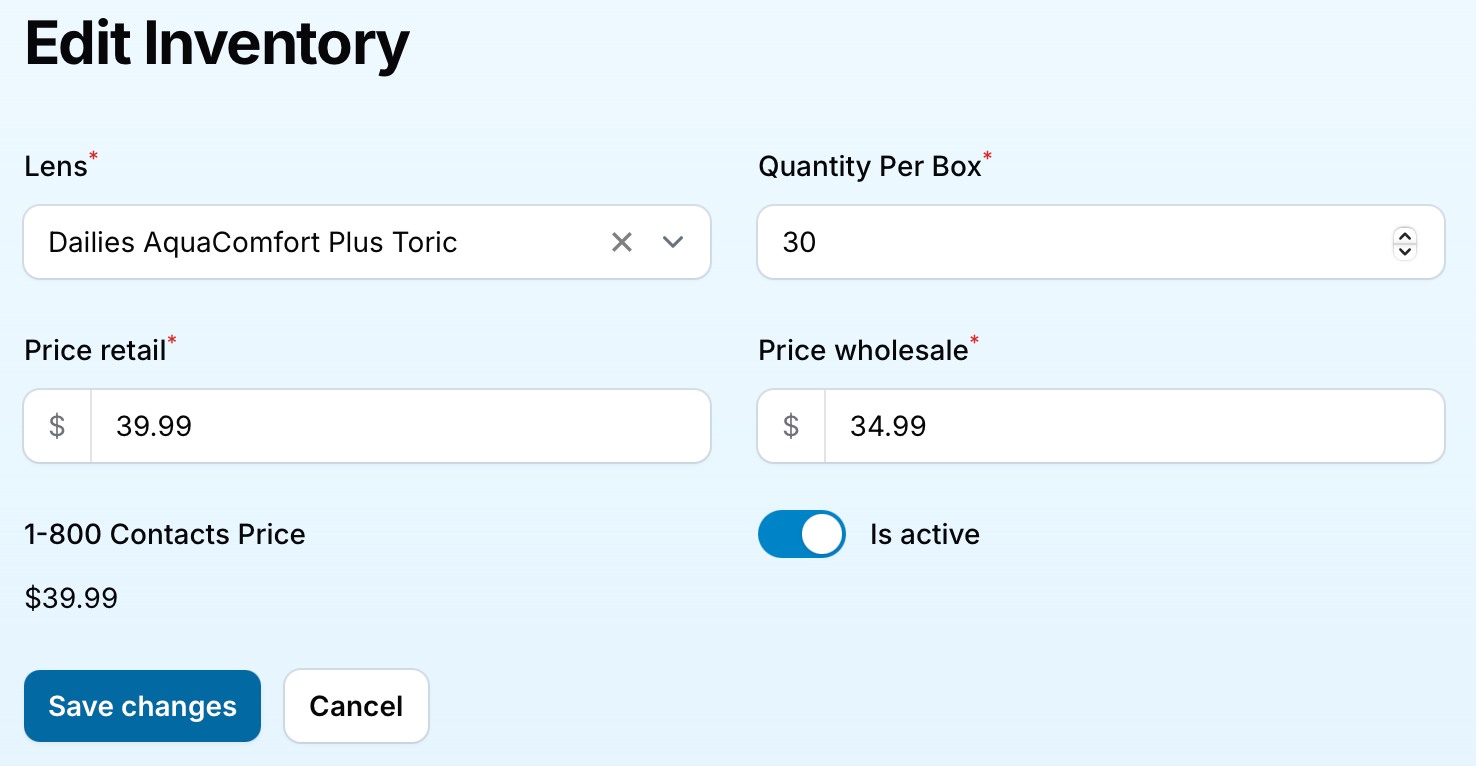
You can easily edit a lens's details by clicking directly on its row in the Lens Inventory List. This allows you to activate or deactivate the lens, as well as update its retail and wholesale prices. Additionally, you can view pricing from 1-800-Contacts - and, in the future, other online vendors - as a reference to help you establish competitive pricing for your practice.
The Lens Inventory List includes a variety of filters to help you quickly locate and compare lenses:
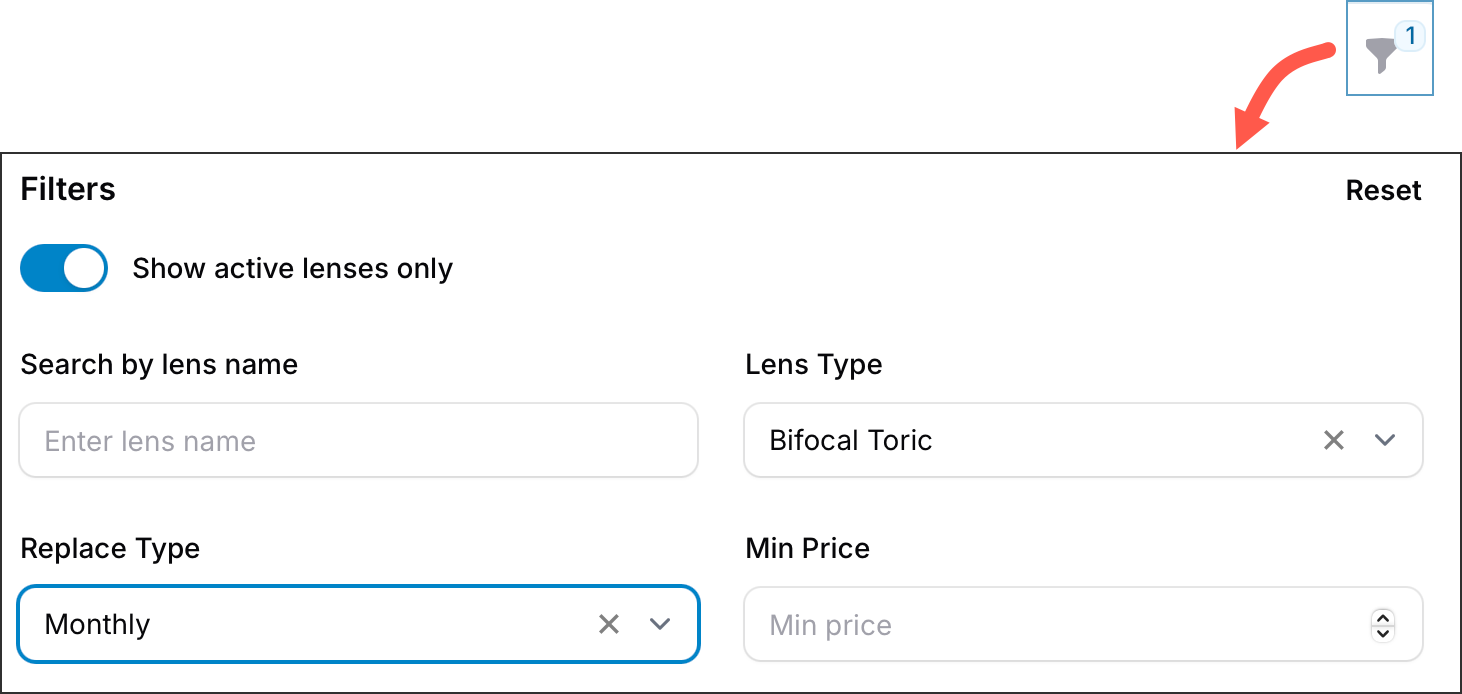
You have the option to view only active lenses, which is the default setting, or expand your view to include all lenses, including those you have inactivated.
Wholesale prices are entered manually by the user and are not imported automatically. These entries are entirely optional and serve as a helpful tool for your practice to make informed decisions when setting prices and prescribing lenses. When wholesale prices are provided, EyeDock PM will use them to calculate key metrics, such as profit per box and profit per year of supply, providing you with valuable insights into your pricing strategy and profitability.
With EyeDock’s comprehensive inventory management tools, you can effortlessly set up, organize, and customize your contact lens inventory. Whether you’re importing products, adjusting pricing, or creating private labels, EyeDock helps you stay efficient and competitive.