
Documentation > Managing Contact Lens Rebates
Rebates play a crucial role in contact lens sales, particularly in demonstrating the value of purchasing lenses directly from your practice rather than from online vendors. They often provide substantial savings for patients, making year supply purchases more appealing and competitive. However, managing rebates can be challenging due to their ever-changing nature and complex rules.
Rebates are frequently introduced or discontinued without notice, and they often come with specific conditions, such as applying only to certain lenses, requiring a year supply purchase, or being restricted to new wearers. To simplify this process, EyeDock offers a centralized platform for recording and managing rebates. This ensures your staff always has up-to-date rebate information, enabling them to present accurate, competitive pricing to patients.
EyeDock makes creating and managing rebates straightforward and efficient.
To create a new rebate, navigate to the Contact Lens Rebates menu and click the “New Rebate” button. From there, you’ll be prompted to fill out a detailed rebate form.
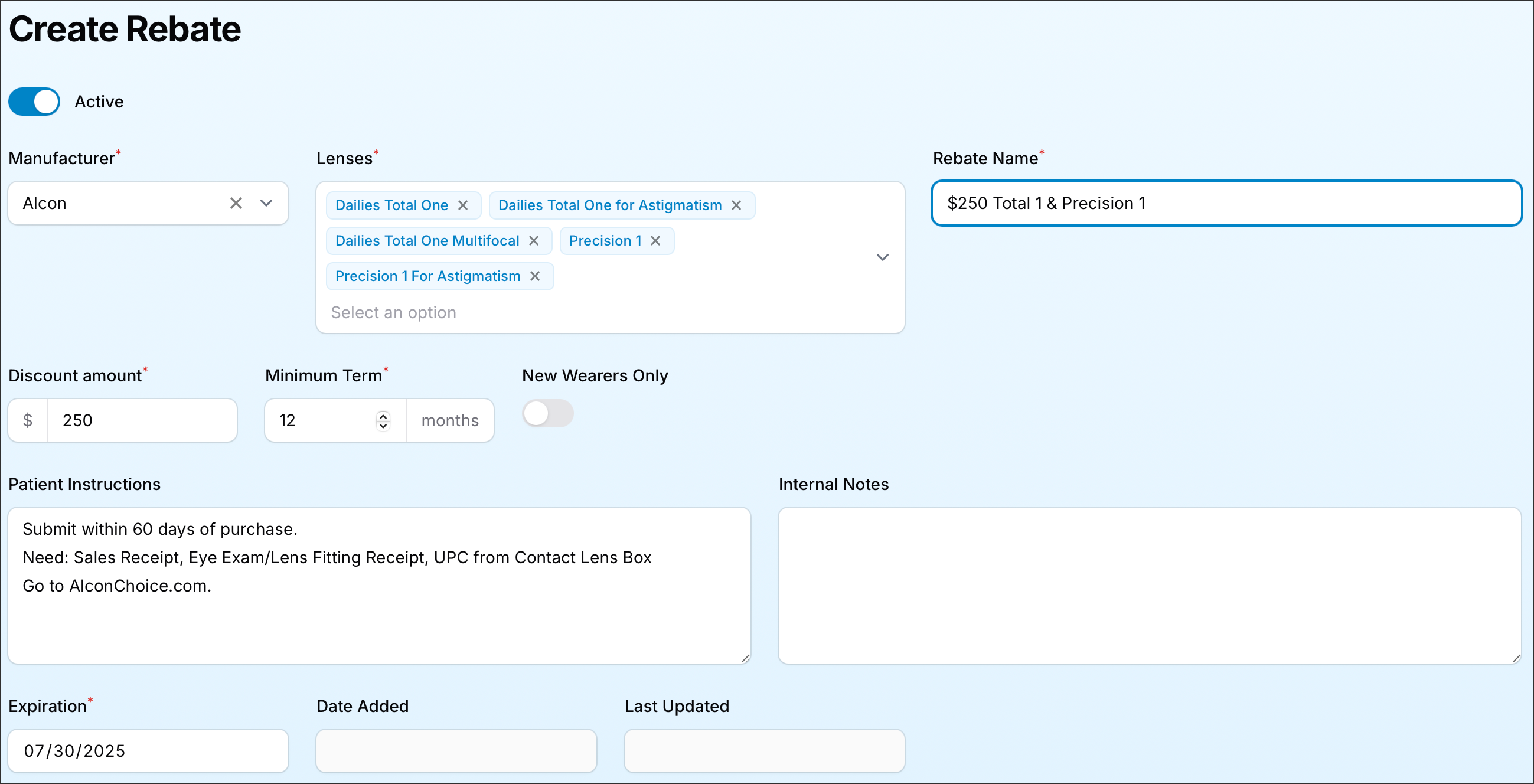
Managing existing rebates is just as easy. You can filter rebates to view only active or inactive ones, toggle their status, or duplicate an existing rebate to quickly create a similar one with minor adjustments.
Manufacturer rebates can be structured in a variety of ways, and we've designed our rebate form to be as flexible as possible to accommodate these variations.
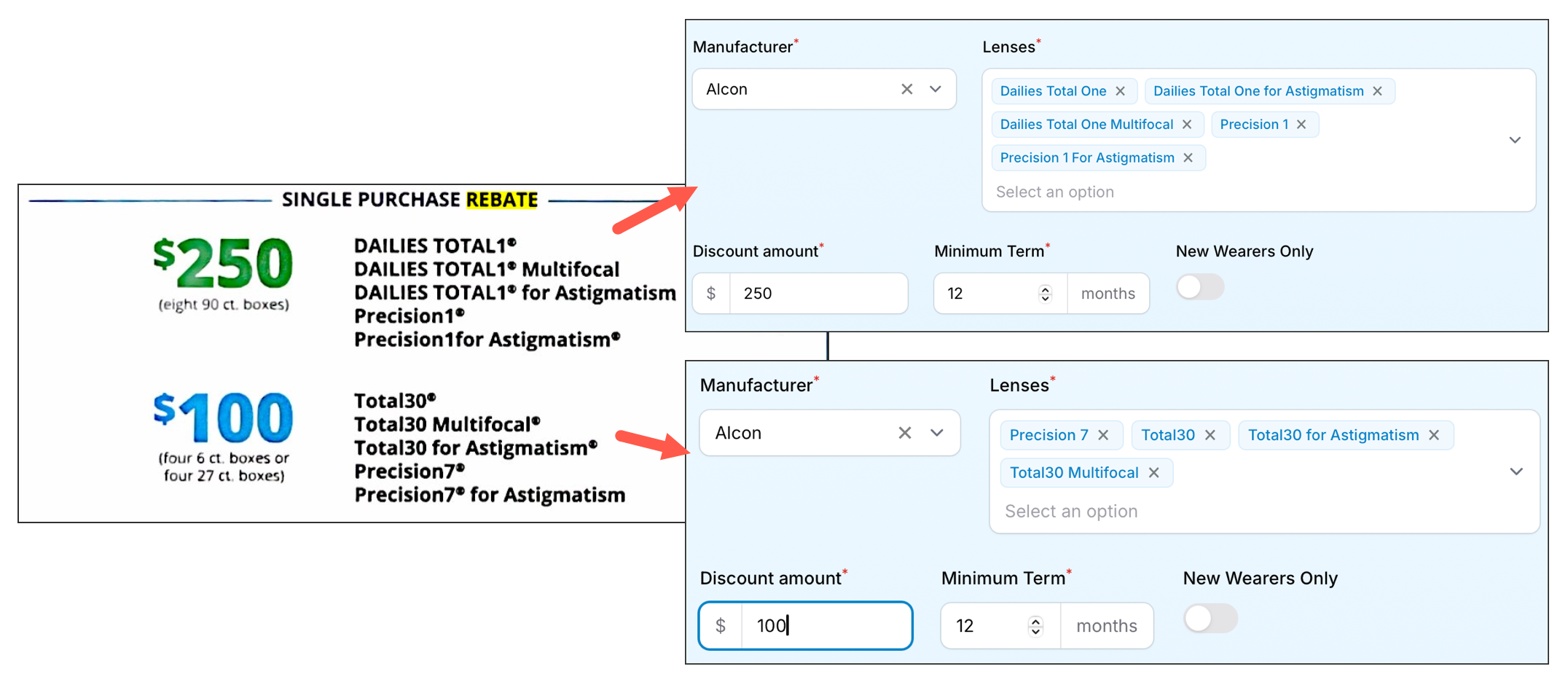
Rebates may include multiple dollar amounts based on different combinations of lenses. For example, a rebate might offer $250 for a year’s supply of daily disposable lenses or $100 for monthly and weekly disposable lenses. In situations like this, it’s best to create separate rebates in EyeDock PM—one for each set of products. This ensures clarity and accuracy when applying rebates to your inventory and patient pricing.
With EyeDock’s robust rebate management system, you can stay on top of ever-changing rebate programs and ensure your patients always see the full value of purchasing their lenses from your office. This not only simplifies the process for your staff but also builds trust and loyalty with your patients.