
Documentation > Adding Rebates to a Price Calc
Rebates can be seamlessly applied to price quotes during the calculation process, making it easy to highlight savings for your patients.
When generating a price quote for a specific lens brand, simply click the “Add Rebate” button in the price quote calculation panel. This opens a sliding Rebates Panel, where all available rebates for the selected lens brand are displayed. From here, you can apply rebates for both full and partial supplies, as these amounts often differ.

1. Manually enter a rebate amount to quickly add it to the quote.
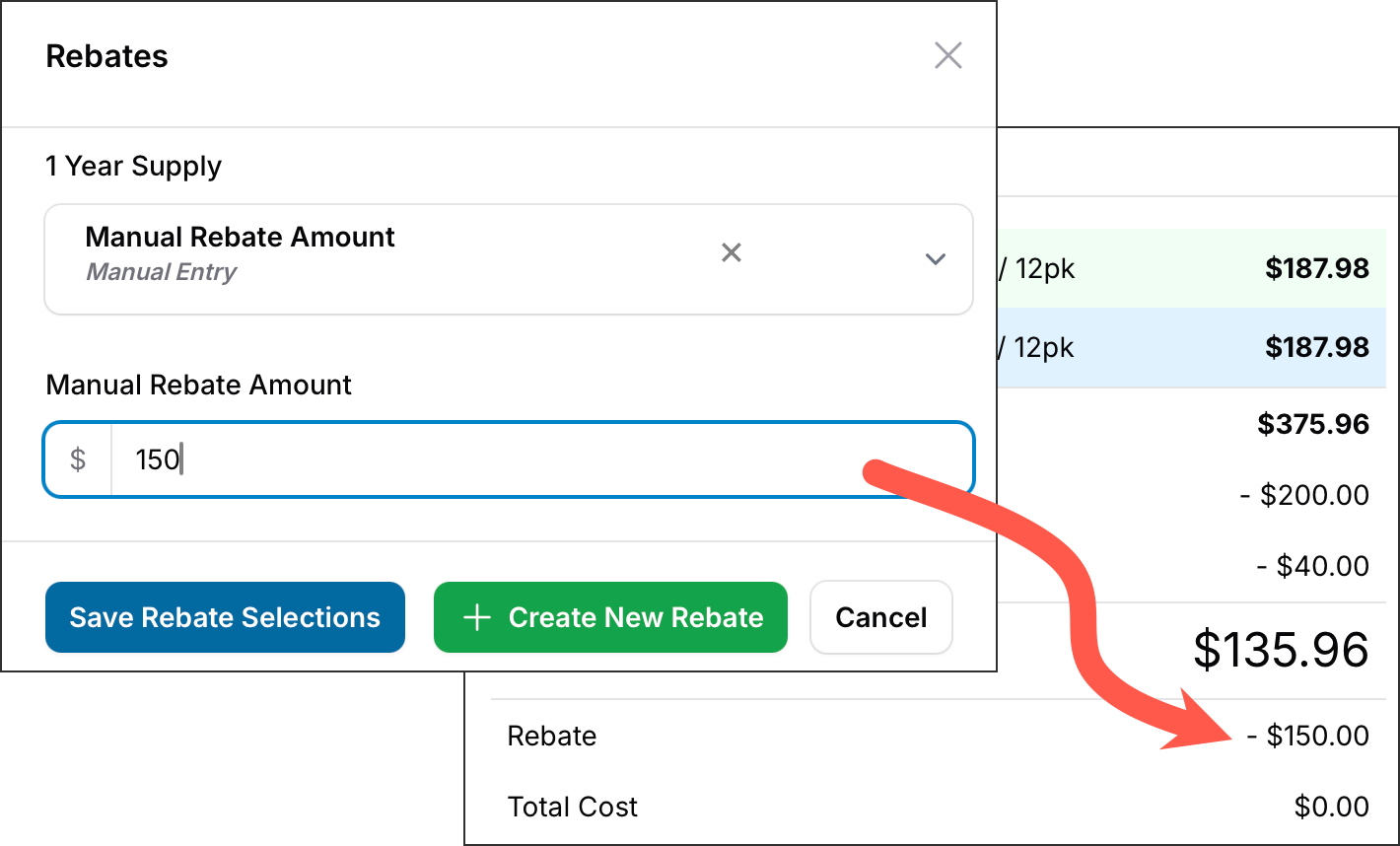
2. Click the "Create New Rebate" button to open the Contact Lens Rebates page (in a new tab) to create a new rebate on the spot.
By integrating rebates directly into price quotes, EyeDock PM simplifies the process of providing patients with accurate pricing. It also helps you emphasize the savings they can achieve by purchasing through your practice, enhancing transparency and trust.
See Also: Managing Contact Lens Rebates